
HDS-R

iPhone / iPad · iOS 17.0+

Follow each question.Record every score.

Shows the nine HDS-R items one at a time and records the scores you choose, with the total, on your device. The app does not make a diagnosis.

Scan with your iPhone

HDS-R

When it helps

What it does

  1. 01

    One question at a time

    The nine questions and their choices appear in order. Pick the choice that applies to move on.

  2. 02

    Images for visual memory

    For the visual memory question, you can open images of five objects to show.

  3. 03

    Total and item scores

    At the end, the app shows the total out of 30 and each item's score.

  4. 04

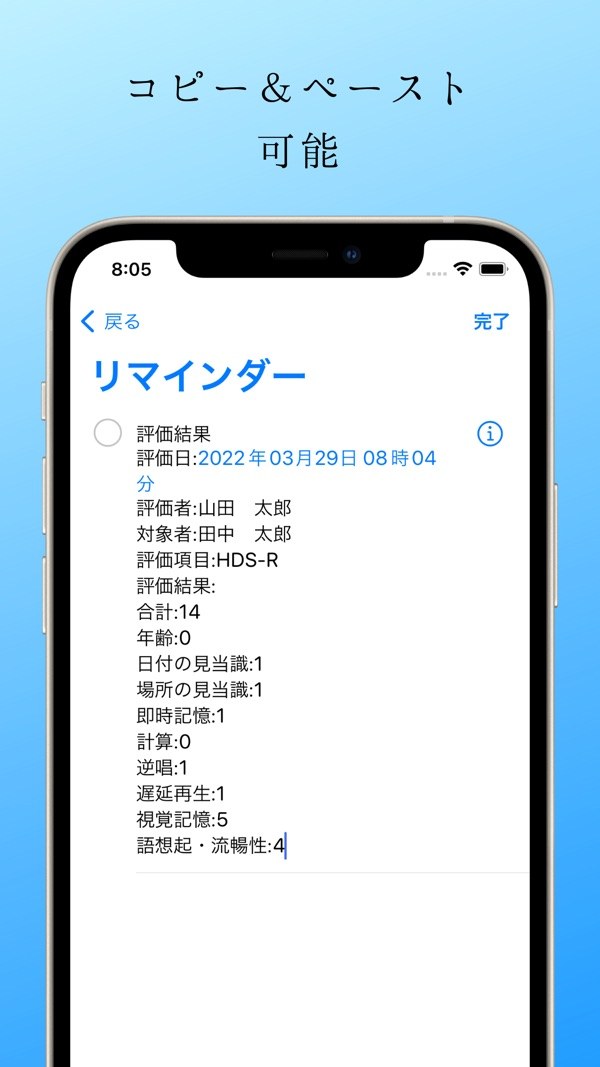
    Copy as text

    Copy the date, assessor, person and every item score as text.

  5. 05

    Organized by assessor and person

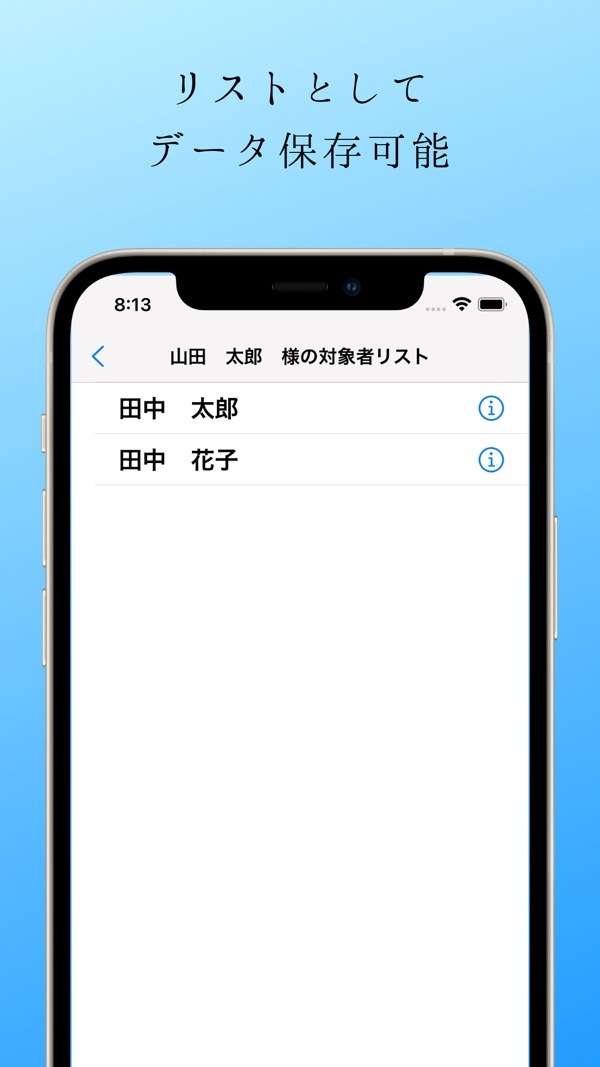
    Register people under each assessor and keep their results together.

  6. 06

    Stored on your device

    Data is saved locally on the device, with no data communication.

In detail

01

Questions shown one at a time

The nine items of the Revised Hasegawa Dementia Scale (HDS-R) appear one by one. Read the question and the choices, tap the choice that applies, and the app moves to the next question. The screens are in Japanese.

  • Nine items, from age and orientation to memory and calculation
  • Score shown at the left of each choice
  • You can step back to the previous question
02

Show the objects for the visual memory item

On the visual memory question, a button opens a list of images of the objects. Five object images are laid out, and you can tap one to enlarge it.

  • Shown only on the visual memory question
  • Tap an image to enlarge
03

Total and per-item scores

When the assessment ends, the app shows the total and the score for each item. Each item is shown as score out of its maximum.

  • Total shown out of 30
  • Maximum shown next to every item
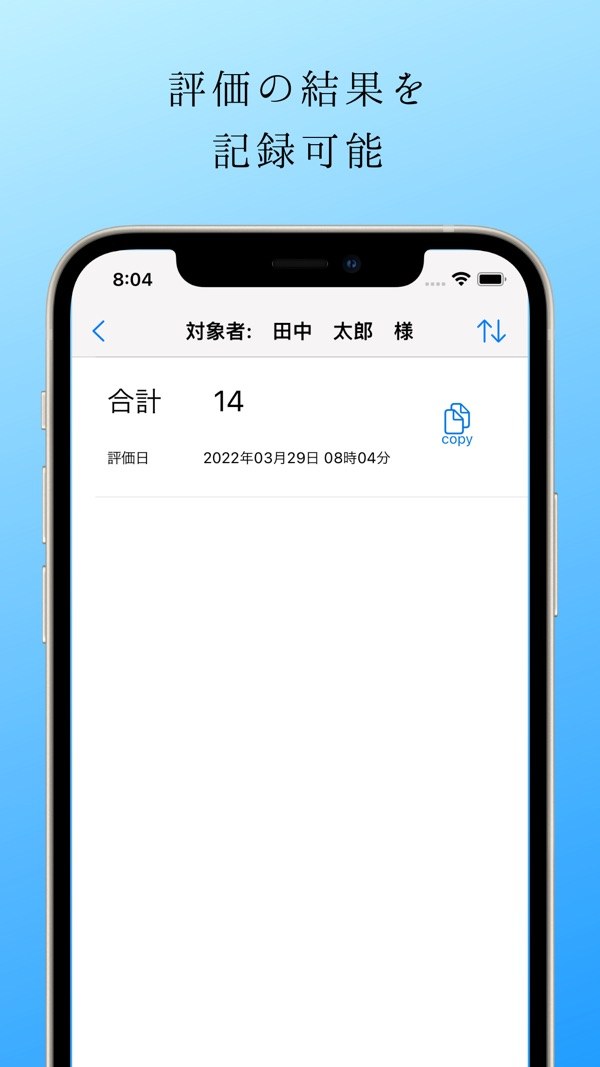
A record list of assessments
04

A record list of assessments

Past assessments are listed for each person. The total and the date are shown on each row, and the order can be switched between newest and oldest first.

  • Total and assessment date shown
  • Delete records you no longer need
  • Copy from the list
Copy the result and paste it elsewhere
05

Copy the result and paste it elsewhere

The assessment date, assessor, person, scale name, total and each item's score are copied as text. Paste it into a notes app, a reminder or a chart system.

  • Includes date, assessor and person's name
  • All nine item scores listed
A list of people per assessor
06

A list of people per assessor

Create a list of people under each assessor. Choose one from the list to start an assessment or look at past ones.

  • Organized as assessor, person, then results

How it works

  1. 1
    Register an assessor and a person

    Register an assessor and a person

    Add an assessor, then add a person under that assessor. Enter a name and save.

  2. 2

    Choose an answer for each question

    Select the person and open the assessment. The nine questions appear in order; pick the choice that applies and move on.

  3. 3

    Check the total and item scores

    After the last question the result is saved, and the total and each item's score are displayed.

  4. 4
    Copy the result, or look at past records

    Copy the result, or look at past records

    Copy a result to paste it elsewhere. The list of past assessments opens from the past assessments entry.

Screens

Saved results for one person
A result copied as text
People listed under an assessor

FAQ

What is HDS-R?

It is short for the Revised Hasegawa Dementia Scale. The app shows nine items: age, orientation to date and place, immediate memory, calculation, digit reversal, delayed recall, visual memory, and word recall and fluency.

Does the app make a diagnosis?

No. The app is not a diagnostic tool. It displays the questions, records the scores you choose and shows the total. Please consult a medical specialist about any diagnosis.

What does the app show and record?

It shows each question and its choices, and records the score you choose. The result screen shows the total and the score for each item. It does not display any interpretation of the scores.

Where is my data stored?

On your device. Data is saved locally, and no data communication takes place.

Can I move a result somewhere else?

A result can be copied as text and pasted into a notes app or a chart system.

If I cancel part-way, is my input kept?

No. If you cancel an assessment, what you entered is not saved.

What does it cost, and what does it run on?

The download is free. It works on iPhone and iPad running iOS 17.0 or later.

Which languages does it support?

The app screens are in Japanese.

Record your next assessment on your device.

Download on the App Store
HDS-RGet